




Is Canva Pro Worth It? Who Should Pay and Who Should Not (2026)
Is Canva Pro worth it? If you make branded or social content every week, the $144 a year usually pays off. See who should upgrade, stay free, or pick Business.

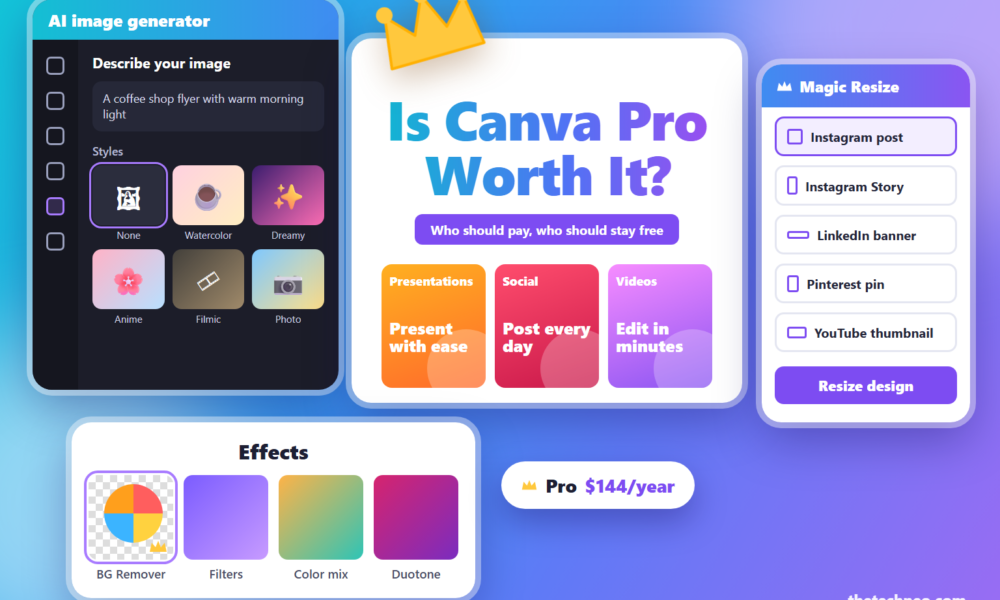
You open Canva, find the right template, and spot a small crown icon in the corner. That crown marks a premium element, and it’s where the free plan stops. So is Canva Pro worth it, or does the free plan cover you? For anyone making branded or social content every week, the answer is usually yes: Pro costs $144 a year in the US, which works out to $12 a month. For a few designs a month, Canva Free is enough.
Table Of Content
- Is Canva Pro worth it in 2026? The short verdict
- How much does Canva Pro cost right now?
- What do you actually get for $144 a year?
- The upgrades that justify the price
- The extras most people won’t use
- Is Canva Pro worth it for your situation?
- Small business owners
- Social media managers and content creators
- Freelancers and agencies
- Students
- Teachers
- Occasional users (wedding invites, one-off projects)
- Does Canva Pro pay for itself? A simple cost check
- Canva Pro vs Canva Business: which one makes sense for a team?
- What are the disadvantages of Canva Pro?
- Are there cheaper alternatives to Canva Pro?
- How to test Canva Pro before you pay
- So, is Canva Pro worth it?
- Frequently asked questions
- Q. Will I lose everything if I cancel my Canva subscription?
- Q. Is Canva Pro better than Canva Free?
- Q. Why don’t professional designers use Canva?
- Q. What is the cheapest way to get Canva Pro?
- Q. Is there a free trial for Canva Pro?
- Q. Can two people share one Canva Pro account?
- Q. Should I pay for Canva Pro monthly or yearly?
Every price below comes from Canva’s US pricing page, in US dollars before tax, last checked October 26, 2026. Like the rest of Techneo’s guides to design and marketing tools, this one sticks to numbers you can check yourself.
Quick answer: Canva Pro is worth it if you make branded, social or marketing designs every week. The background remover, Magic Resize, premium library and five Brand Kits save real time for $144 a year (US). If you design a few times a month, Canva Free is usually enough.
Is Canva Pro worth it in 2026? The short verdict
Canva Pro is worth it if you design every week and the designs carry your brand. It’s a poor fit if you open Canva a few times a month for a birthday invite or a school poster. Plenty of people pay for it: Canva reports more than 28 million paying customers. The trick is knowing which group you’re in.
Canva Pro is worth it if you:
- Post on social media several times a week and need each design in several sizes.
- Sell products and need clean cutouts for listings or ads.
- Manage more than one brand, or need your logo, fonts and colors to match every time.
- Want to plan and schedule posts from the same place you design them.
Skip Canva Pro if you:
- Make a handful of designs a month and the free templates look fine to you.
- Teach or study at a K-12 school, where Canva for Education is free.
- Need two or more people on one account, since a Pro account covers one person only.
How much does Canva Pro cost right now?
Canva Pro costs $144 a year or $18 a month for one person in the US. Pay monthly for a full year and you spend $216, which is $72 more than paying upfront. Canva advertises yearly savings “from 16%,” but for Pro the yearly price is a full third lower than twelve monthly payments.
| Feature | Canva Free | Canva Pro | Canva Business |
|---|---|---|---|
| Yearly price | $0 | $144 | $250 per person |
| Monthly billing | $0 | $18 a month | $25 a month per person |
| Cost per month on the yearly plan | $0 | $12 | About $20.83 per person |
| Who can use it | One person | One person only | Individuals and teams |
| Templates | 1.6M+ | 3.6M+ (including premium) | 3.6M+ (including premium) |
| Photos, videos, graphics and audio | 4.7M+ | 141M+ premium | 141M+ premium |
| Brand Kits | 1 (3 colors only) | 5 | 100, with approvals |
| Cloud storage | 5GB | 100GB | 500GB |
| AI allowance | Up to 20 Standard or Premium uses | 10x Free | 20x Free |
| Background remover and Magic Resize | No | Yes | Yes |
| Social content scheduling | No | Yes | Yes |
| Team admin tools | No | No | Yes |
| Best for | A few designs a month | Solo creators who design every week | Teams of two or more |
Source: Canva US pricing page, US dollars before tax, last checked October 26, 2026. Canva Enterprise is priced by quote through Canva’s sales team.
Older guides may still mention Canva Teams. Canva’s pricing page now says Teams “is no longer available for new sign-ups or upgrades,” so Business is the plan for groups. You also don’t have to pay on day one: Canva offers a 30-day free trial of Pro, so you can test it on your own work first.
What do you actually get for $144 a year?
Four upgrades do most of the work in Canva Pro: the background remover, Magic Resize, the premium library and Brand Kits. Scheduling is a fifth for anyone running social accounts. The rest are nice extras. Our guide to what Canva Free includes lists every feature side by side, so here we focus on the ones worth paying for.
The upgrades that justify the price
- Background remover. One click cuts a person or product out of a photo, and it works on video clips too. Best for online sellers, YouTubers making thumbnails and anyone posting product shots.
- Magic Resize. Design one post, then turn it into a Story, a Pinterest pin and a LinkedIn banner in a few clicks. Best for anyone posting the same campaign on several platforms.
- Premium library. Pro opens 3.6 million+ templates and 141 million+ photos, videos, graphics and audio tracks. Free has 1.6 million+ templates and 4.7 million+ assets. Best for people tired of hitting the crown icon on the asset they want.
- Five Brand Kits. Save logos, fonts and colors so every design matches. Free gives you one kit with three colors. Best for small businesses and freelancers with clients.
- Social scheduling. Plan and publish posts from inside Canva. Best for social media managers.
The extras most people won’t use
Pro also adds 100GB of cloud storage (Free has 5GB), 10 times the AI allowance of Free, print-ready CMYK export, bulk design creation and Canva AI 2.0, which lets you design by typing requests. AI tools share one monthly allowance, and Canva says fair-use limits apply. These are handy, yet few people upgrade for them alone. If storage is your only problem, clear out old uploads before you pay.
Is Canva Pro worth it for your situation?
Canva Pro is worth it when you’ll use its main tools every week, and that depends on who you are. Below are six common readers. Each one gets the same three answers: what you’d use, our verdict, and the cheaper route.
Small business owners
What you’d use: a Brand Kit for consistent logos and colors, the background remover for product photos, and resizing for ads on several platforms.
Verdict: is Canva Pro worth it for small business owners? Usually yes. If Pro saves you one hour a month, the $12 is covered. Pair it with a content-heavy marketing strategy so the designs have a plan behind them.
Cheaper route: stay on Free and upgrade the month you launch a campaign.
Social media managers and content creators
What you’d use: scheduling, Magic Resize, and premium stock video and audio.
Verdict: yes. This is the group Pro fits best, because you use the paid tools daily.
Cheaper route: if you already handle posting in another tool, such as the setup in our guide to automating your marketing with HubSpot AI, Canva’s scheduler matters less. Free plus your current scheduler can work if you rarely need premium assets.
Freelancers and agencies
What you’d use: five Brand Kits to keep each client’s fonts and colors separate.
Verdict: yes for solo freelancers. Canva’s pricing FAQ says “Only one person can use a Canva Pro account,” so an agency with staff needs Business.
Cheaper route: one Pro account for the person who does the design work.
Students
What you’d use: premium templates for presentations, posters and resumes.
Verdict: is Canva Pro worth it for students? It depends on your school level. Canva for Education is free for K-12 teachers and institutions, and Canva says it “is not currently available for higher education teachers and institutions (colleges and universities).” College students should ask whether their school offers Canva for Campus.
Cheaper route: Canva Free handles most class projects.
Teachers
What you’d use: classroom templates, worksheets and slides.
Verdict: is Canva Pro worth it for teachers? Skip paying if you teach K-12. Eligible teachers get Canva for Education free after verification.
Cheaper route: apply through Canva for Education. University lecturers fall outside the program, so Free or Pro are their options.
Occasional users (wedding invites, one-off projects)
What you’d use: one premium template or photo for a single event.
Verdict: a yearly plan rarely makes sense here.
Cheaper route: start the 30-day trial when the project starts, finish the designs, and cancel before it ends. Your designs stay in your account on Free.
Does Canva Pro pay for itself? A simple cost check
Canva Pro pays for itself if it saves you more than $12 of your time each month on the yearly plan, or $18 on the monthly plan. That’s the whole test for “is Canva Pro worth it?” Plug in your own numbers:
Hours saved per month × your hourly rate ≥ $12
Here’s an example with made-up numbers, for illustration only. A freelance social media manager bills $30 an hour. Magic Resize and the background remover save them 90 minutes a month. That’s $45 of time against a $12 cost, so Pro pays back almost four times over.
Now take a hobbyist who saves 10 minutes a month. At the same rate, that’s about $5 of value, so Free wins.
The saved time only counts if you use the tools. Before you pay, write down which of the four main upgrades you’d use this week. An empty list means Free is the right plan for now.
Canva Pro vs Canva Business: which one makes sense for a team?
For one person, Canva Pro is the better buy. For two or more people who share designs and brand assets, Canva Business is the plan Canva built for teams, because a Pro account can’t be shared and Teams is closed to new sign-ups.
Here’s the yearly math for two people:
- Two separate Pro accounts: $288 a year, with no team admin controls.
- Two Business seats: $500 a year, with team admin tools, 100 Brand Kits with approvals, 500GB of storage and 20 times the AI of Free.
Business costs $106 more per person each year. It earns that when designs need sign-off before they go live, when work passes between people, or when someone needs to control who has access. Two freelancers working for separate clients can each keep their own Pro account and save the difference.
What are the disadvantages of Canva Pro?
The main drawbacks of Canva Pro are limits on AI use, a template look that can feel familiar, and less control than professional design software. Each one matters for some users and barely touches others.
- AI has a ceiling. Pro gives 10 times the AI allowance of Free, and heavier AI tools use it up faster. Canva sells an AI Pass add-on for people who run out.
- Templates can look familiar. Popular templates get used by a lot of people, so a lightly edited design may look like someone else’s. Change the fonts, colors and layout to make it yours.
- Print and vector work is limited. Many professional designers keep Canva for quick social graphics and switch to Adobe tools, Figma or Affinity for logos, detailed print files and precise vector work.
- Your work lives in Canva. Projects are built in Canva’s editor, so moving one to another tool usually means exporting a flat file.
- Prices get updated. Check the price on the pricing page before each renewal.
Are there cheaper alternatives to Canva Pro?
Yes. The cheapest alternative to Canva Pro is often Canva Free itself, and several free pro-grade tools cover the gaps. The biggest change came from Canva: it made Affinity free for everyone in late 2025, so photo editing, vector design and page layout no longer need a paid app.
| Tool | Price (US) | Cost for 12 months | Best for |
|---|---|---|---|
| Canva Pro | $144 a year | $144 | Weekly branded and social design |
| Canva Free | $0 | $0 | Light, occasional design |
| Affinity | Free | $0 | Photo editing, vector design and page layout |
| Adobe Express Premium | $9.99 a month | $119.88 at the monthly price | Quick social graphics and short videos |
| GIMP | Free, open source | $0 | Photo editing |
| Inkscape | Free, open source | $0 | Logos and vector graphics |
How to test Canva Pro before you pay
Use the 30-day free trial as a real test with your own work. Try these five things in the first week:
- Remove the background from three product or profile photos.
- Resize one post into a Story, a Pinterest pin and a LinkedIn banner.
- Set up a Brand Kit with your logo, fonts and colors.
- Schedule one week of social posts.
- Check your AI allowance after a few days of normal use.
If you skipped most of these, you have your answer. Set a reminder for day 25 so you have time to cancel if the tests come up short.
So, is Canva Pro worth it?
Canva Pro is worth it for small businesses, social media managers, content creators and solo freelancers who design every week. At $12 a month on the yearly plan, one saved hour usually covers it. K-12 teachers and students should use free Canva for Education, occasional users should stay on Free, and teams of two or more should price out Business.
Start the 30-day trial, run the five tests above, and keep Pro only if you used the tools. If you decide to stay free, our Canva Free vs Canva Pro breakdown shows how far the free plan can take you.
Frequently asked questions
Q. Will I lose everything if I cancel my Canva subscription?
A. No. Canva’s help center says “All designs remain accessible on Canva Free.” You keep Pro features until the billing period ends. After that, premium elements in your designs show watermarks until you buy them, and Pro-only tools stop working.
Q. Is Canva Pro better than Canva Free?
A. Canva Pro uses the same editor as Canva Free and adds the background remover, Magic Resize, five Brand Kits, scheduling and a much bigger library: 141 million+ assets against 4.7 million+. It’s the better plan if you use those extras every week. For occasional designs, Free does the job.
Q. Why don’t professional designers use Canva?
A. Many professional designers do use Canva for quick social graphics and client templates. For logos, detailed print files and precise vector work, they usually turn to Adobe tools, Figma or Affinity, which give finer control over layers, typography and print settings.
Q. What is the cheapest way to get Canva Pro?
A. Pay yearly. Canva Pro costs $144 a year, which works out to $12 a month, against $18 a month on the monthly plan. Start with the 30-day free trial first. K-12 schools and nonprofits can get most premium features free through Canva’s own programs.
Q. Is there a free trial for Canva Pro?
A. Yes. Canva offers a 30-day free trial of Pro, according to its own comparison guide. Use the trial on real work: remove a few backgrounds, resize a post and set up a Brand Kit. Set a reminder before day 30 if you don’t plan to keep it.
Q. Can two people share one Canva Pro account?
A. No. Canva’s pricing FAQ says only one person can use a Canva Pro account. Two people can each buy Pro, which costs $288 a year in total, or move to Canva Business at $250 per person a year for shared team tools.
Q. Should I pay for Canva Pro monthly or yearly?
A. Pay yearly if you’ll use Pro for more than eight months. A yearly plan costs $144, while twelve monthly payments at $18 add up to $216. Monthly makes sense for a short project, such as a product launch or a wedding, that you’ll finish in a few months.





No Comment! Be the first one.